 StreamTranslate.liveChat Translator
Keep up with Kick chat in your language.
You can enjoy a Kick stream even when the chat community speaks another language. Chat Translator displays translated written messages in your own browser while you watch. No streaming software, channel ownership or broadcaster setup is needed for chat translation.
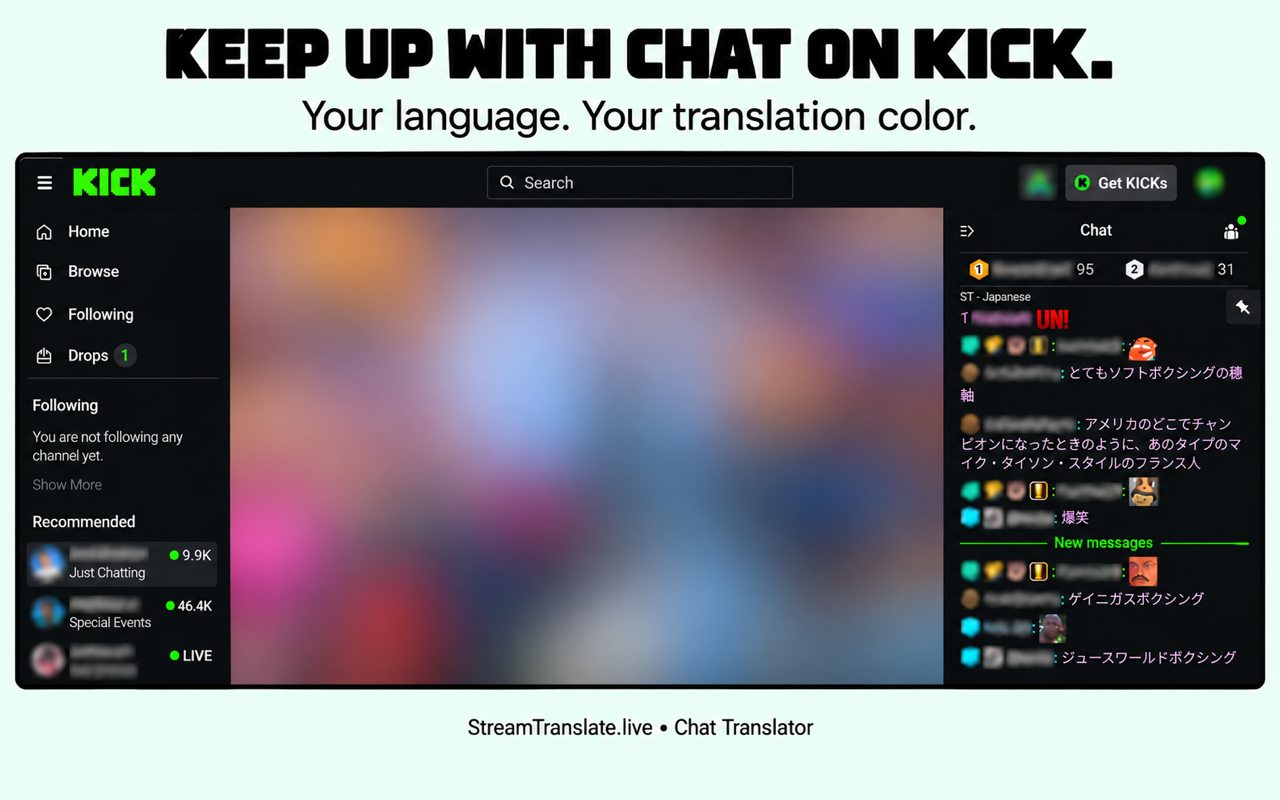
How to translate Kick chat
- Open a Kick channel with the chat visible in a desktop browser that supports Chrome Web Store extensions.
- Enable Chat Translator, select your reading language and keep Auto-detect on if viewers use more than one language.
- Choose translation placement and a color that is easy to read on Kick’s chat theme.
- Translate a reply draft if you want to participate, review the text and send it using Kick’s usual controls.
Your view changes, not everyone else’s chat.
The browser extension is for reading and preparing messages on your side. It is not a Kick moderation bot and does not publish translations to the whole channel. The streamer does not need to install OBS or connect a StreamTranslate caption account for you to read translated chat.
Kick chat permissions and moderation rules remain in place. Emotes, usernames and community slang may not translate like ordinary sentences. The feature does not translate the streamer’s voice.
Common questions
Do I need to own the Kick channel?
No. You can use Chat Translator as a viewer in your own supported desktop browser.
Will everyone in the channel see my translated chat view?
No. Incoming message translations change your own browser view. A reply is posted only when you send it using the platform’s normal controls.
Is Chat Translator free?
Yes. The chat extension needs no StreamTranslate account, subscription or API key. Translation uses Google and can be delayed or temporarily unavailable.
What happens to chat text?
After you enable translation, chat text and language choices go directly to Google for translation; Google also receives your IP address. Reply drafts are sent for translation when you press Translate. StreamTranslate does not receive your chat.
Watch on more than one platform?
The same browser extension supports Twitch, YouTube, Kick, X and TikTok LIVE. You do not need five separate extensions.
Independent extension; not affiliated with or endorsed by the streaming platforms. Read the extension privacy policy.