 StreamTranslate.liveChat Translator
Understand the conversation in YouTube live chat.
A YouTube live stream can have subtitles while its chat still uses languages you do not read. Chat Translator works on the written live conversation so you can follow messages alongside the stream, without running your own broadcast.
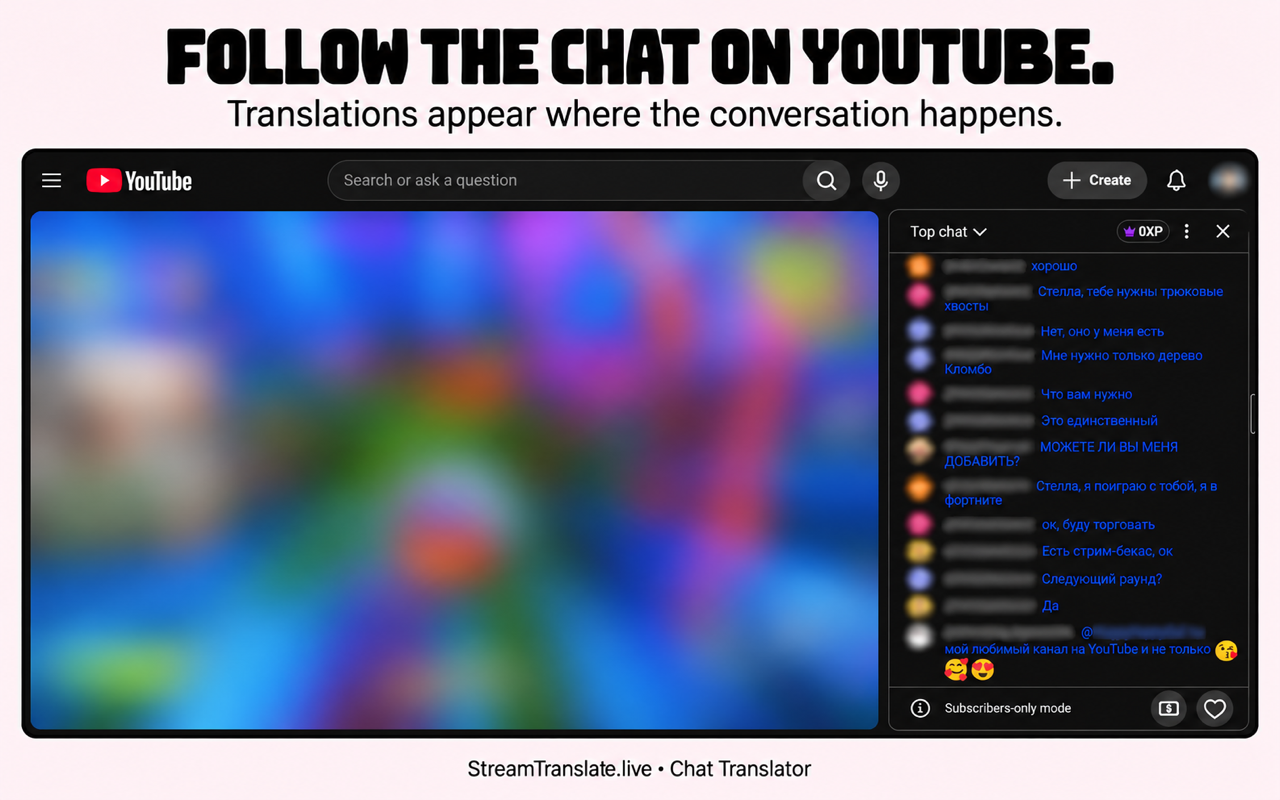
How to translate YouTube chat
- Open a YouTube live stream with its live chat visible in your supported desktop browser.
- Enable Chat Translator and choose your reading language. Auto-detect can handle messages arriving in different languages.
- Pick how the translated messages appear and set a readable translation color.
- If the channel allows you to chat, translate your draft before sending it with YouTube’s normal chat controls.
Video subtitles and live chat are separate.
A video’s subtitle or CC settings apply to the video. They do not replace the written live chat workflow described here. Chat Translator handles new live chat messages; it is not a whole-site translator for YouTube video comments.
YouTube decides whether you can post in subscriber-only or members-only chat. Translation does not unlock those permissions or guarantee that every message, emoji or abbreviation has a clear translation.
Common questions
Do YouTube’s video subtitles translate live chat?
Video subtitles and written live chat are separate. Chat Translator is for the messages in live chat, not the video’s audio or CC track.
Can I translate a reply without sending it immediately?
Use Translate on your reply draft, review the result, then send through YouTube’s normal controls. Translating the draft is separate from sending it.
Is Chat Translator free?
Yes. The chat extension needs no StreamTranslate account, subscription or API key. Translation uses Google and can be delayed or temporarily unavailable.
What happens to chat text?
After you enable translation, chat text and language choices go directly to Google for translation; Google also receives your IP address. Reply drafts are sent for translation when you press Translate. StreamTranslate does not receive your chat.
Watch on more than one platform?
The same browser extension supports Twitch, YouTube, Kick, X and TikTok LIVE. You do not need five separate extensions.
Independent extension; not affiliated with or endorsed by the streaming platforms. Read the extension privacy policy.